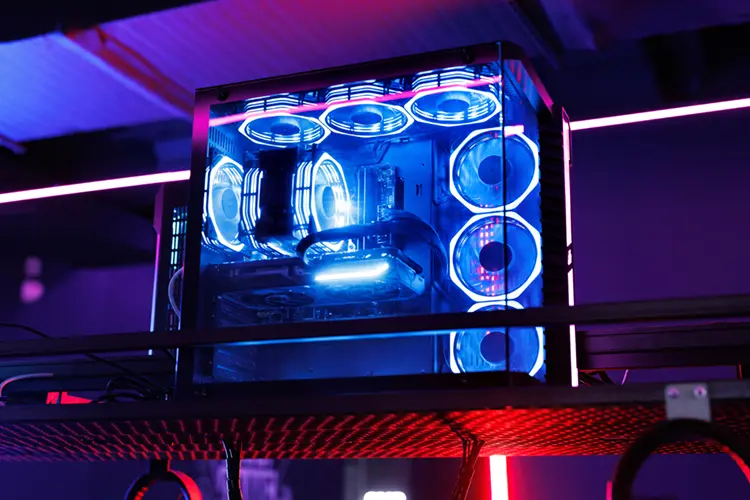
A custom gaming PC lets you choose every component — GPU tier, RAM amount, storage speed, PSU headroom, even the case colour — rather than accepting whatever a manufacturer decided to bundle together. For Irish buyers in 2026, the easiest route to a genuinely custom machine is the PCSpecialist Ireland configurator, which ships built, tested, and warranted to a Republic of Ireland address in euros. This guide walks through the process from start to finish.
What Is a Custom Gaming PC and Why Build One in Ireland?
A custom gaming PC is any desktop system where the buyer specifies the individual components rather than purchasing a fixed retail configuration. You choose the CPU family, the GPU tier that matches your resolution target, the amount of RAM, whether you want a 2TB or 4TB SSD, and a PSU with enough headroom for future upgrades. The result is a machine that fits your actual use case rather than a manufacturer's idea of what a €1,200 gaming PC should contain.
For Irish buyers specifically, the custom route has become significantly more practical since PCSpecialist opened their dedicated Irish site at pcspecialist.ie. The configurator is fully in euros, delivery is free to the Republic of Ireland, and the 3-year warranty is meaningfully better than anything you get with a retail pre-built at the same price. You are not importing from the UK, dealing with customs, or paying a conversion premium.
The alternative — self-building from parts — is still valid and can save €100 to €200 at the €800 to €1,200 tier. But it requires sourcing parts across multiple retailers, building the machine yourself, and handling any failures during the warranty period without support. For most Irish buyers who want a custom configuration without the DIY element, PCSpecialist is the practical answer.
PCSpecialist Ireland Configurator — Step by Step
The PCSpecialist configurator at pcspecialist.ie works by building a system from a base chassis and customising every component in sequence. Here is the order it follows and what to pay attention to at each step.
Step 1 — Choose a Base System
PCSpecialist organises their configurator by system type: Gaming Desktops, Creator PCs, and Workstations. For gaming, start in the Gaming Desktops section. Each base system comes with a case already selected — you can change this later. The base chassis sets the form factor (ATX, Micro-ATX) and ultimately determines which GPU lengths and cooler heights will fit.
Step 2 — Processor (CPU)
The configurator presents Intel and AMD CPU options. For gaming, AMD Ryzen 5 and Ryzen 7 series chips offer the best performance per euro in 2026. The Ryzen 5 7600X is the entry point for a mid-range build. If you are going to €1,400 or above, consider the Ryzen 7 9800X3D — it currently holds the top single-thread gaming benchmark score and is the CPU that makes the most difference to frame rates in CPU-limited titles.
Step 3 — Motherboard
The configurator auto-filters motherboards to match the chosen CPU socket. Accept the default B650 board for a Ryzen 7000 build unless you want PCIe 5.0 storage, in which case step up to X670E. For Intel, B760 is the sensible default. Avoid paying extra for features you will not use.
Step 4 — RAM
Select at minimum 32GB in a dual-channel configuration (2 × 16GB). The configurator will often default to 16GB — change this. Single-stick 16GB configurations are one of the most common mistakes on budget builds and noticeably reduce gaming performance. DDR5 for AM5 builds, DDR4 for older Intel platforms.
Step 5 — Storage
A 1TB NVMe SSD is the minimum sensible choice in 2026. GTA 6 alone is expected to use 150GB. Select 2TB if your budget allows — the price difference between 1TB and 2TB NVMe has narrowed significantly. Avoid adding a secondary HDD unless you specifically need cold storage; it adds cost without gaming benefit.
Step 6 — Graphics Card (GPU)
This is the most important decision in the configurator. The GPU determines what resolution and frame rate your system can hit. See the tier breakdown below for the right GPU at each price point. Do not let the configurator auto-select a GPU tier below what your budget supports — it sometimes does this to keep a base price low.
Step 7 — Power Supply (PSU)
Size the PSU with headroom. An RTX 4060 system needs at minimum a 650W PSU — select 750W to give yourself upgrade room. An RTX 4070 Ti or 5070 build should have at least 850W. Underpowered PSUs cause instability under load and are one of the most common mistakes on custom PC orders.
Step 8 — Operating System
Windows 11 Home is the sensible choice for most gamers. If you already have a Windows licence or prefer to handle activation yourself, you can leave this blank and reduce the total. The machine will boot without an OS installed and you can install Windows 11 via a USB drive from the official Microsoft site at no charge (unactivated mode is fully functional for gaming).
Step 9 — Peripherals and Extras
PCSpecialist offers monitors, keyboards, mice, and headsets as add-ons. These are generally not the best value items in their range — a better approach is to price peripherals separately on Amazon Ireland. Skip these extras unless convenience is the priority.

How to Choose Components by Budget Tier
The single most important decision in a custom gaming PC is the GPU tier. Everything else — CPU, RAM, storage — should be sized to support the GPU you choose. Here is how the four tiers map to real-world gaming targets for Irish buyers in 2026.
| Tier | Budget | GPU | Target | PCSpecialist |
|---|---|---|---|---|
| Entry Gaming | €500–€900 | RTX 3050 / RTX 4060 | 1080p High–Ultra | Configure → |
| Mid-Range | €900–€1,400 | RTX 4060 / RTX 5060 | 1080p Ultra / 1440p High | Configure → |
| High Performance | €1,400–€2,500 | RTX 4060 Ti – RTX 5070 | 1440p Ultra / 4K High | Configure → |
| Enthusiast | €2,500+ | RTX 5070 Ti / 5080 / 5090 | 4K Ultra / high refresh | Configure → |
Entry Gaming — €500 to €900
At this tier, the RTX 4060 is the GPU to target. It handles 1080p at ultra settings in virtually every current title and has 8GB GDDR6 VRAM which is sufficient for 1080p gaming through 2026 and 2027. Pair it with a Ryzen 5 7600 on the AM5 platform, 32GB DDR5, and a 1TB NVMe SSD. The AM5 socket gives you a clear CPU upgrade path without changing the motherboard. Avoid RTX 3050 configurations unless you are genuinely constrained to below €700 — the performance gap between 3050 and 4060 is large enough to affect enjoyment in demanding titles. Configure an entry gaming PC at PCSpecialist →
Mid-Range — €900 to €1,400
The mid-range sweet spot in 2026 is the RTX 4060 Ti or RTX 5060, paired with a Ryzen 5 7600X or Ryzen 7 7700. This combination handles 1440p at high settings comfortably and 1080p at high refresh rates. The RTX 5060 offers better efficiency and a longer VRAM runway than its predecessor. Budget €1,000 to €1,200 for this tier via PCSpecialist and you will have a machine that handles every current title without compromise. Configure a mid-range gaming PC at PCSpecialist →
High Performance — €1,400 to €2,500
At this tier the GPU steps up to the RTX 5070 or RTX 4070 Ti Super. Pair with a Ryzen 7 9800X3D for maximum gaming performance — the 3D V-Cache design gives it a consistent 10 to 20% frame rate lead over standard Ryzen 7 chips in CPU-limited scenarios. This is the tier for 1440p at maximum settings and 4K at high settings. A 850W PSU is the minimum sensible choice here. Configure a high performance gaming PC at PCSpecialist →
Enthusiast — €2,500 and Above
The RTX 5080 and RTX 5090 sit at the top of the 2026 GPU market. The 5090 in particular has no practical performance ceiling for current gaming workloads. Pair with a Ryzen 9 9800X3D and 64GB DDR5 for a system that will remain at the top tier for 4 to 5 years. At this budget, PCSpecialist's 3-year labour warranty is especially valuable — a warranty claim on a €3,000+ system is meaningful. Configure an enthusiast gaming PC at PCSpecialist →
Common Mistakes Irish Buyers Make When Configuring a Custom PC
These are the four issues that appear most consistently in builds that underperform their price point.
Underpowered PSU
The configurator will allow you to pair an RTX 4070 Ti with a 650W PSU. Do not do this. Modern GPUs draw significantly more power under peak load than their TDP suggests, and a PSU running at 90% capacity throttles under sustained gaming sessions. Always add 100 to 150W above the combined CPU and GPU TDP as a minimum, and choose a PSU with an 80+ Gold or Platinum efficiency rating.
Single RAM Stick
A single 16GB RAM stick runs in single-channel mode. Modern CPUs — especially those with integrated memory controllers designed around dual-channel access, like the Ryzen 7000 and Intel Core 13th/14th gen — lose 10 to 15% of their memory bandwidth in single-channel. Always select 2 × 16GB over 1 × 32GB at the same capacity, and never configure a 16GB system with a single stick.
Skipping the SSD or Undersizing It
A 512GB SSD is genuinely too small for a gaming PC in 2026. GTA 6 alone is estimated at 150GB. Modern AAA games regularly run 80 to 120GB each. Select at minimum 1TB, and 2TB if your budget allows. Fitting a larger SSD at order time is significantly cheaper than upgrading after delivery.
Mismatched CPU and GPU Tier
Pairing an RTX 5070 with a budget entry-level CPU creates a bottleneck that wastes the GPU's capability. Similarly, pairing a high-end CPU with a mid-range GPU wastes CPU budget that could have gone into a better GPU — GPU tier affects gaming performance far more than CPU tier above a certain baseline. Match the CPU to the GPU tier: Ryzen 5 for entry and mid-range, Ryzen 7 or 9800X3D for high performance and enthusiast.

Pre-Configured Build Recommendations by Tier
Each recommendation below links directly to the PCSpecialist Ireland configurator. All prices are approximate and in EUR — the configurator shows live pricing. For a detailed breakdown of what PCSpecialist Ireland offers, see our PCSpecialist Ireland review.
Entry Custom Gaming PC — Around €750 to €900
Ryzen 5 7600 · B650 motherboard · 32GB DDR5 · 1TB NVMe · RTX 4060 8GB · 750W PSU. This build handles 1080p at ultra settings across all current titles and costs approximately €800 to €900 via PCSpecialist depending on case selection and Windows choice. The RTX 4060 is the minimum GPU this site recommends for a new custom build in 2026. Build this at PCSpecialist →
Mid-Range Custom Gaming PC — Around €1,100 to €1,350
Ryzen 5 7600X · B650E motherboard · 32GB DDR5 · 2TB NVMe · RTX 4060 Ti or RTX 5060 16GB · 750W PSU. This configuration sits at the high end of the mid-range tier and handles 1440p at high settings. The RTX 5060 variant is the better long-term choice if available in the configurator. Build this at PCSpecialist →
High Performance Custom Gaming PC — Around €1,800 to €2,300
Ryzen 7 9800X3D · X670E motherboard · 32GB DDR5 6000MHz · 2TB NVMe · RTX 5070 or RTX 4070 Ti Super · 850W PSU. This is the build for 1440p ultra and 4K high settings. The 9800X3D delivers a measurable frame rate advantage over standard Ryzen 7 chips in demanding titles. Build this at PCSpecialist →
Enthusiast Custom Gaming PC — €2,800 and Above
Ryzen 9 9800X3D · X670E or top-tier Intel platform · 64GB DDR5 · 4TB NVMe · RTX 5080 or RTX 5090 · 1000W PSU. No compromises, no bottlenecks, no short-term upgrade requirements. This is the build that remains at the top tier through 2028 and beyond. Build this at PCSpecialist →
Also see the pre-built gaming PC Ireland guide if you want a comparison with fixed-configuration retail options, and the custom gaming PC Ireland page to return here from related content.
Frequently Asked Questions
Most orders reach Ireland within 7 days of being placed. The typical timeline is 3 to 5 working days for PCSpecialist to build, assemble, and test the system, followed by 2 to 3 working days for tracked delivery to a Republic of Ireland address. PCSpecialist offers free standard delivery to Ireland. Express options are available at checkout for an additional charge.
Yes. PCSpecialist builds use standard ATX or Micro-ATX parts, which means upgrading RAM, adding storage, or replacing the GPU later is straightforward. The main constraints are case size (which limits GPU length and cooler height) and PSU wattage (which limits the GPU you can upgrade to). If you anticipate upgrading to a higher GPU tier in two or three years, it is worth selecting a larger case and a higher-wattage PSU at order time — the cost difference is small compared to replacing either later.
Self-building can save €100 to €200 at the €800 to €1,200 tier if you source parts well. However, PCSpecialist's total includes assembly, testing, and a 3-year warranty — costs a self-builder carries separately. Windows is also an optional extra on PCSpecialist (approximately €100 to €145 for Home), which self-builders either pay or handle via an OEM key or unactivated install. The realistic saving for most Irish buyers is €50 to €150, in exchange for several hours of build time and DIY troubleshooting responsibility. See our build vs buy gaming PC Ireland guide for a full side-by-side breakdown.
Windows is an optional add-on in the PCSpecialist configurator. You can select Windows 11 Home or Pro and it will be pre-installed and activated when the machine arrives. If you leave Windows unselected, the machine ships without an OS — you can install Windows 11 for free from the official Microsoft site (running unactivated is fully functional for gaming, with only cosmetic limitations like a desktop watermark). Most budget buyers either run unactivated, use a free upgrade from an existing Windows 10 licence, or purchase an OEM key from a reseller for €15 to €25.
CustomPCParts.ie
Ireland's independent guide to building, buying, and upgrading gaming PCs. We cover budget builds from €500 to €1,500, pre-built alternatives, refurbished options, and individual component picks — all priced in euro for Irish buyers.